Struggling to get high-quality answers from ChatGPT?
Most people use AI the wrong way — and that’s why they get boring or useless results.
In this guide, you’ll learn how to write powerful prompts that save time, improve output, and make AI work like a real assistant.
📌 Save this guide — you’ll want to come back to it.
–> If you’ve ever used ChatGPT and felt like,“Why is it giving boring or useless answers?” — you’re not alone.
Most people think ChatGPT is magic. Smart people know the truth:
ChatGPT is only as powerful as the prompt you give it.
The difference between an average user and a pro user is not intelligence, not coding, not experience —
it’s how clearly they communicate with AI.
This guide is written for beginners who want real results, not hype.
By the end of this blog, you’ll understand how to write effective ChatGPT prompts in a way that saves time, improves output, and actually feels powerful.
If you truly want to understand how to use ChatGPT effectively, this is where you start.
No technical jargon.
No overcomplicated theory.
Just clarity, examples, and mindset.
📍 Table of Contents
1. Why Prompt Writing Is a Skill (Not a Trick)
#why-prompt2. What Is a ChatGPT Prompt (In Simple Words)
3. Why Beginners Struggle With ChatGPT
4. A Real Example: Why Two People Get Different Results
5. The Core Structure of an Effective ChatGPT Prompt
6. Copy-Paste Prompt Formula (Beginner Friendly)
7. Beginner vs Effective Prompt (Real Example)
8. The Secret of Chaining: How to Refine Your Results
9. Common Mistakes You Should Avoid
10. How Professionals Actually Use ChatGPT
11. How to Apply Prompt Engineering in Real-World Professions (Students, Business Owners, Writers & Coders)
12. Advanced Prompt Engineering: Hidden Keywords That Change AI Output
13. How to Engineer High-Performance AI Outputs (Step-by-Step Mega Prompt Breakdown)
14. The Golden Rule: Trust, but Verify
15. Why Prompt Writing Is a Future Skill
16. How to Practice Prompt Writing Daily
17. Do Prompts Work the Same on ChatGPT, Claude, and Gemini? (Model Comparison Guide)
18. Frequently Asked Questions
19. Final Thoughts
🤹♂️ Why Prompt Writing Is a Skill (Not a Trick)
Let’s fix one big misunderstanding first.
Many beginners think:
• “There must be secret prompts.”
• “Experts hide magical commands.”
• “AI works better for others.
”That’s false.
Prompt writing is a communication skill.
ChatGPT doesn’t read your mind.
It reads your instructions, context, and intent.
Think of it like this:
• A vague question → vague answer
• A clear instruction → high-quality output
People who get amazing results are simply better at explaining what they want.
And the best part?
This skill is learnable.
If you want to truly improve your ChatGPT prompt examples, you must understand the structure behind them — not just copy random lines from the internet.
🤷 What Is a ChatGPT Prompt (In Simple Words)
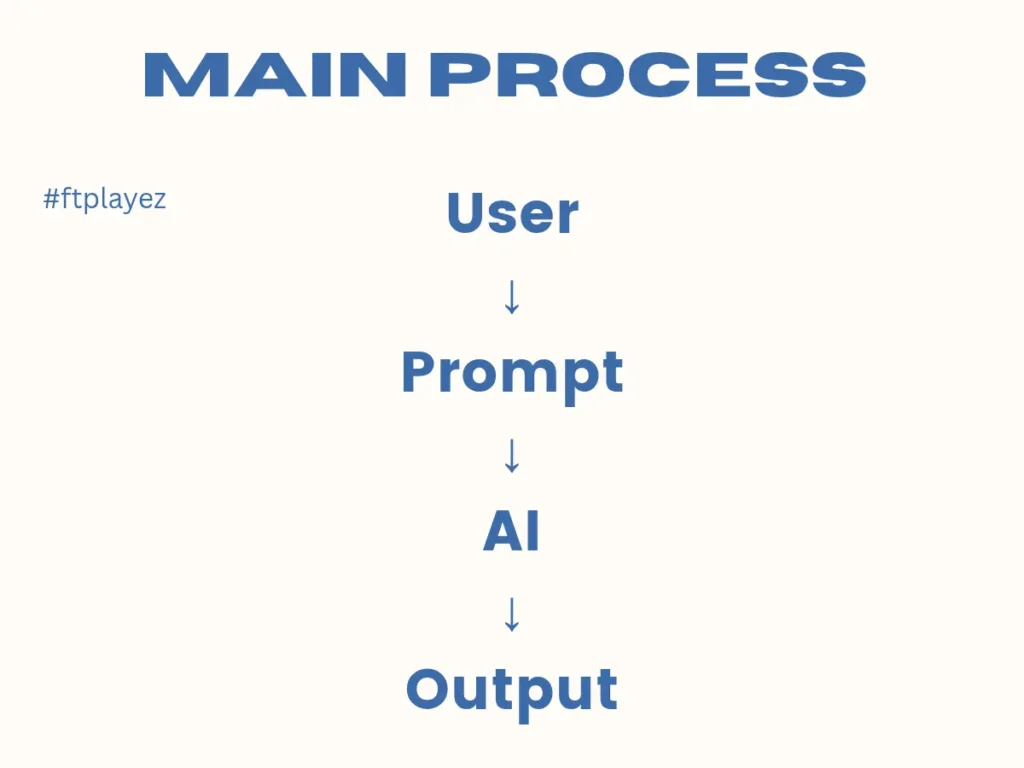
A prompt is the instruction you give to ChatGPT.
It can be:
A question
A task
A role assignment
A detailed request
Weak prompt:
“Write a post about fitness.
”Strong prompt:
“Write a motivational Instagram post for beginners who want to start fitness at home, using simple language and a friendly tone.”
Same AI.
Very different result.
The quality of output changes because the clarity changed.
This is the foundation of prompt engineering for beginners.
🔰 Why Beginners Struggle With ChatGPT
Most beginners fail for three reasons:
1️⃣ They Are Too Short
They write one-line prompts and expect magic.
ChatGPT is smart, but it’s not a mind reader.
2️⃣ They Don’t Explain the Goal
They don’t tell:
• Who the content is for
• Why it’s needed
• What result they want.
3️⃣ They Copy Random Prompts From the Internet
Copied prompts often:
• Don’t match their use case
• Feel unnatural
• Create confusion
Real skill comes from understanding the structure, not copying lines.
👬 A Real Example: Why Two People Get Different Results
Imagine two freelancers.
Both open ChatGPT.
Freelancer A types:
“Write a proposal for a client.
”Freelancer B types:
“Act as a senior freelance copywriter. Write a persuasive Upwork proposal for a small eCommerce brand that needs email marketing. Keep it professional but confident. Mention ROI and past experience tone.”
Same tool.
One gets a generic paragraph.
The other gets a tailored, high-converting proposal.
The difference?
Not intelligence.
Not experience.
Just clarity.
This is why learning how to write effective ChatGPT prompts changes everything.
🏗️ The Core Structure of an Effective ChatGPT Prompt
Professional prompt writers follow a clear structure, even if they don’t realize it consciously.
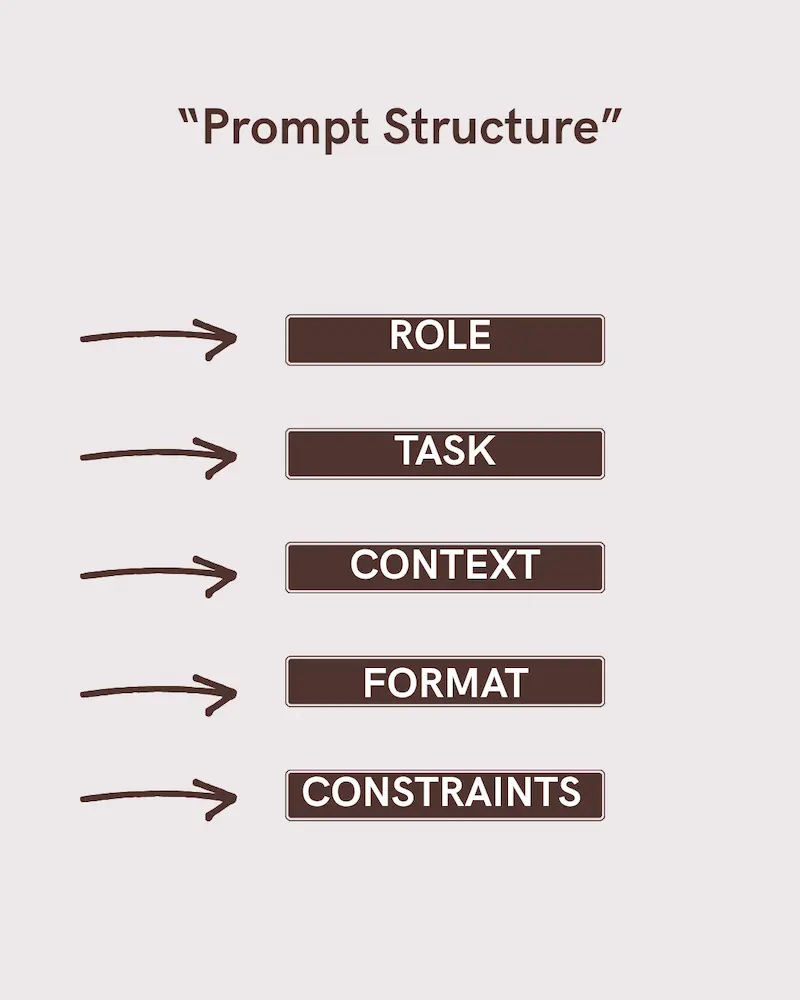
Here’s a beginner-friendly structure you can remember easily:
🔹 1. Role
Tell ChatGPT who it should act as.
Example:
“Act as an experienced digital marketer…”
Why this works:
• It sets expertise level
• It improves tone and depth
🔹 2. Task
Clearly say what you want it to do.
Example:
“Write a beginner-friendly blog post…”
Avoid vague words like “something”, “anything”, “about”.
🔹 3. Context
Give background information.
Example:
“The audience is beginners who don’t have technical knowledge.”
Context prevents generic answers.
🔹 4. Output Style
Mention tone, format, or length.
Example:
“Use simple English, short paragraphs, and a motivational tone.”
This is where professionalism shows.
🔹 5. Constraints
Add limits or rules.
Example:
“Avoid technical jargon and don’t sound robotic.”
Constraints refine the output.
Want to go deeper into structured prompting systems? Explore →
🧠 The Ultimate Prompt Engineering Framework Guide (2026)
🧪 Copy-Paste Prompt Formula (Beginner Friendly)
Here is a simple fill-in-the-blanks template you can reuse anytime:
Act as a [ROLE].

I want you to [TASK].

Here is the background or context:
[CONTEXT]

Please give the output in this format:
[FORMAT / STYLE / LENGTH]

Important rules:
[CONSTRAINTS or THINGS TO AVOID]
Example (Filled Version)
Act as an experienced content writer.

I want you to write a beginner-friendly blog post about fitness.

The audience is complete beginners with no technical knowledge.

Use simple English, short paragraphs, and a motivational tone.
Avoid jargon and robotic language.
This structure removes confusion and improves clarity instantly.
Want ready-to-use high-performing prompts? Check out →
🧠🚀 ChatGPT Prompt Mastery: Templates, Frameworks & Systems
✅ Beginner vs Effective Prompt (Real Example)
❌ Beginner Prompt:
“Explain ChatGPT prompts.”
✅ Effective Prompt:
“Act as an AI educator. Explain what ChatGPT prompts are to complete beginners using simple language, real-life examples, and a motivational tone.”
Same topic.
Completely different output quality.
⛓️ The Secret of Chaining: How to Refine Your Results
Most beginner guides stop at the first response.
Professionals don’t.
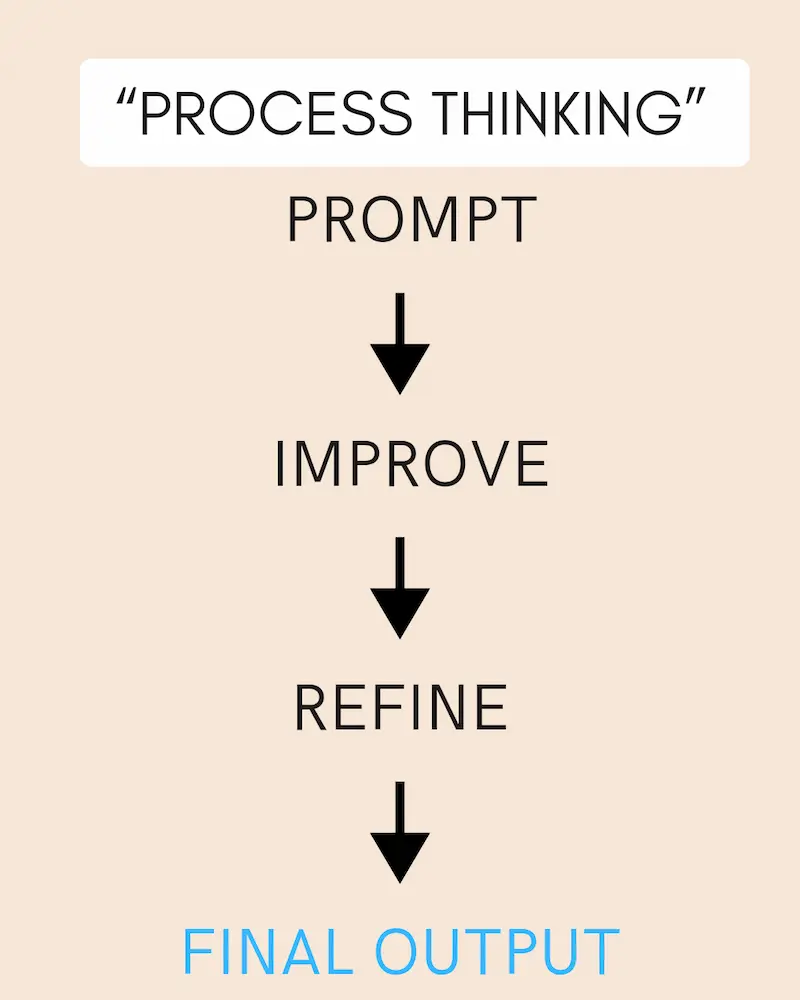
They improve the result step by step.
This is called iterative prompting or prompt chaining.
Example:
Step 1:
“Write a professional email explaining a delay in delivery.”
Step 2:
“Now rewrite the same email to be 50% shorter and more polite.”
Step 3:
“Make it sound more confident and suitable for a corporate client.”
Same AI.
Better result.
ChatGPT works best in conversation, not one command.
❌ Common Mistakes You Should Avoid
🚫 Asking Too Many Tasks at Once
Bad:
“Write a blog, make it viral, SEO optimize it, and give images.”
Break tasks clearly.
🚫 Not Reviewing the Output
AI gives drafts, not final truth.Always refine.
🚫 Expecting Perfection in One Try
First response = base
Second = improvement
Third = polish
That’s how professionals work.
If you want a deep breakdown of real mistakes and how to fix them, read →
👉 ❌🔧 Why Your ChatGPT Prompts Fail (And How to Fix Them)
💼 How Professionals Actually Use ChatGPT
Beginners ask:
“Give me the final answer.”
Professionals say:
“Let’s build this step by step.”
They:
• Ask for outlines first
• Improve tone later
• Add examples at the end
Professionals also separate tasks into phases:
1. Idea generation
2. Structure building
3. Refinement
4. Tone optimization
5. Final human review
They don’t expect AI to do everything in one step.
They build output layer by layer.
That process mindset is what separates casual users from strategic users.
Professionals don’t just write prompts — they use systems. See full systems here →
🧠🚀 ChatGPT Prompt Mastery: Templates, Frameworks & Systems
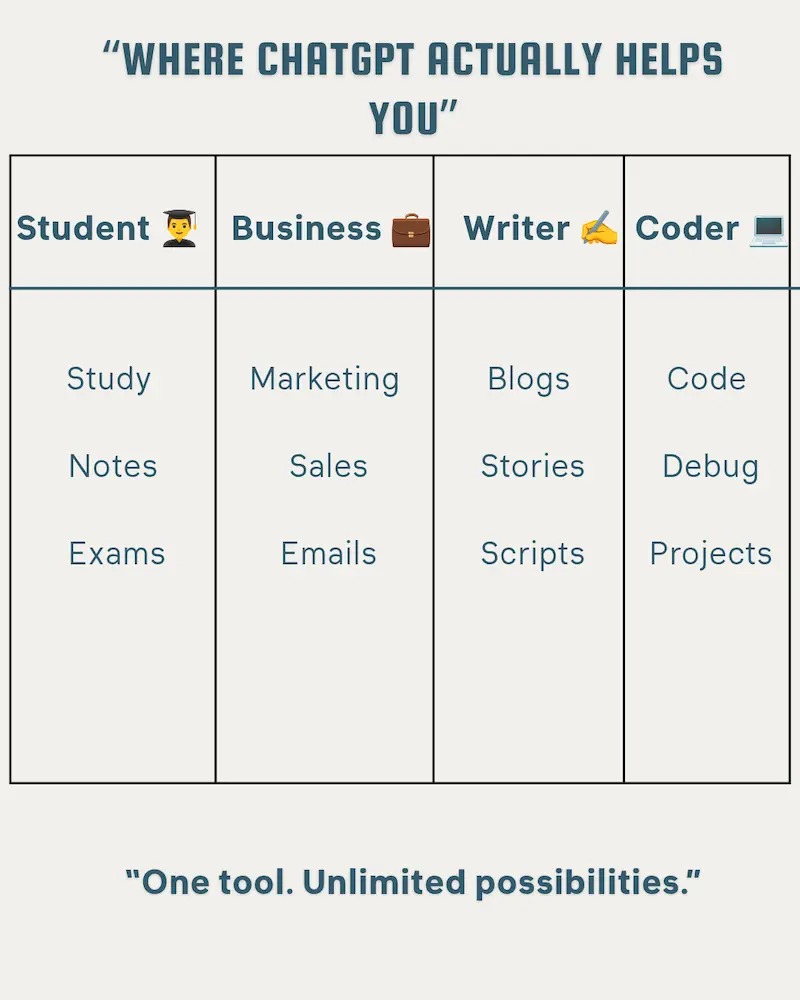
💼 How to Apply Prompt Engineering in Real-World Professions (Students, Business Owners, Writers & Coders)
One of the biggest mistakes beginners make is learning prompt formulas but not knowing how to apply them in real life.
A formula is useless without context.
So instead of saying “be specific and give context” — let’s show exactly how different people should use it.
🎓 For Students & Researchers
Goal: Better studying, faster learning, smarter notes.
Most students use ChatGPT like this:
“Summarize this.”
That’s lazy prompting.
❌ Weak Prompt:
Summarize this chapter.
✅ Powerful Prompt:
You are an expert academic tutor.
Summarize this chapter in simple language for a Class 11 student.
Break it into key concepts, definitions, and 5 potential exam questions.
At the end, create a 7-day revision schedule based on active recall and spaced repetition.
See the difference?
You gave:
• Role (expert academic tutor)
• Target level (Class 11)
• Structure (concepts + questions)
• Actionable output (revision schedule)
This transforms ChatGPT from a summary tool into a personal study strategist.
💡 Advanced Tip:
Add:
Explain difficult concepts using real-life examples.
That forces clarity.
💼 For Small Business Owners
Goal: Increase sales, improve brand communication.
Most small business owners ask:
Write a product description.
That creates generic content.
❌ Weak Prompt:
Write a description for my skincare product.
✅ Powerful Prompt:
You are a direct-response copywriter.
Write a persuasive product description for a natural Vitamin C serum.
Target audience: Women aged 25–35 concerned about dull skin.
Highlight 3 benefits, 2 pain points, and include a strong CTA.
Tone: Premium but friendly.
Now the AI thinks like a marketer, not a blogger.
You provided:
• Role (copywriter)
• Audience clarity
• Emotional triggers (pain points)
• Clear CTA instruction
That is how prompts turn into revenue.
💡 Bonus Use Case:
Write a polite response to a 1-star review that maintains brand authority and invites the customer to resolve the issue privately.
This protects reputation professionally.
✍️ For Creative Writers
Goal: Break writer’s block & generate original ideas.
Writers often say:
Give me story ideas.
Too broad.
✅ Elite Prompt:
Act as a professional fiction editor.
Give me 10 unique “What if?” plot scenarios for a psychological thriller set in modern India.
Each idea should include:
– A flawed main character
– A surprising midpoint twist
– A dark moral dilemma
Now you’re not just generating ideas — you’re building structured plots.
💡 Writer’s Block Breaker:
Ask me 5 deep questions about my story concept that will help me improve emotional depth.
This turns ChatGPT into a thinking partner.
💻 For Coding Beginners
Goal: Learn logic, not just copy-paste code.
Most beginners ask:
Fix this code.
That doesn’t teach.
❌ Weak:
What does this do?
✅ Strong Prompt:
You are a patient programming teacher.
Explain what this Python function does line-by-line in simple language.
Then rewrite it in a more optimized version.
Finally, give me 2 practice problems to apply this concept.
Now you get:
• Explanation
• Optimization
• Practice
That’s real learning.
💡 Extra Tip: Add:
Explain it like I am 15 years old.
Clarity > Complexity.
Want to turn prompts into real content and traffic? Learn SEO-based prompting here →
🏆 ChatGPT SEO Guide: Titles, Meta & Outlines (2026)
“Want 100+ ready-made prompts? Check my Prompt Pack.”
🫣 Advanced Prompt Engineering: Hidden Keywords That Change AI Output
Most users think prompts are about what you ask.
Elite users understand it’s about how the AI processes the request internally.
Certain keywords act like “mental switches” inside the model.
Let’s unlock them.
🧠 1. “Let’s Think Step-by-Step” (Chain-of-Thought Trigger)
This is not just a phrase.
It forces the AI to slow down and reason instead of guessing.
Example:
❌ Basic Prompt:
What is the best pricing strategy for my startup?
✅ Power Prompt:
Let’s think step-by-step.Analyze the market positioning, competitor pricing, perceived value, and customer psychology before suggesting a pricing strategy.
What changes?
• The AI explains reasoning
• Reduces logical mistakes
• Gives structured analysis
• Feels like a consultant report
This single phrase increases accuracy in:
• Math problems
• Business strategy
• Technical decisions
• Complex analysis
It transforms ChatGPT from fast responder → logical thinker.
🎛 2. Tone & Output Control (Precision Dialing)
Most people say:
Make it better.
That’s vague.
Elite users adjust output like a control panel.
Examples:
• “Make it 20% more persuasive.”
• “Use highly technical language suitable for engineers.”
• “Rewrite this in a calm, authoritative tone.”
• “Simplify this for a 14-year-old.”
• “Make it concise and under 120 words.”
You are not requesting content.
You are controlling:
• Vocabulary complexity
• Emotional intensity
• Formality level
• Length constraints
• Audience targeting
This is called Prompt Parameterization.
Even without access to backend settings like temperature, you can simulate creative or conservative outputs by saying:
Provide one conservative version and one bold, creative version.
That mimics temperature control behavior.
🔥 Elite Insight
When you combine:
• Role
• Constraints
• Step-by-step reasoning
• Tone control
You move from “asking AI questions”to directing AI performance.
That’s the difference between a user and a power operator.
📣 How to Engineer High-Performance AI Outputs (Step-by-Step Mega Prompt Breakdown)
Most people write one or two lines.
Elite users design instruction systems.
A Mega-Prompt is not long for no reason.It is long because it controls:
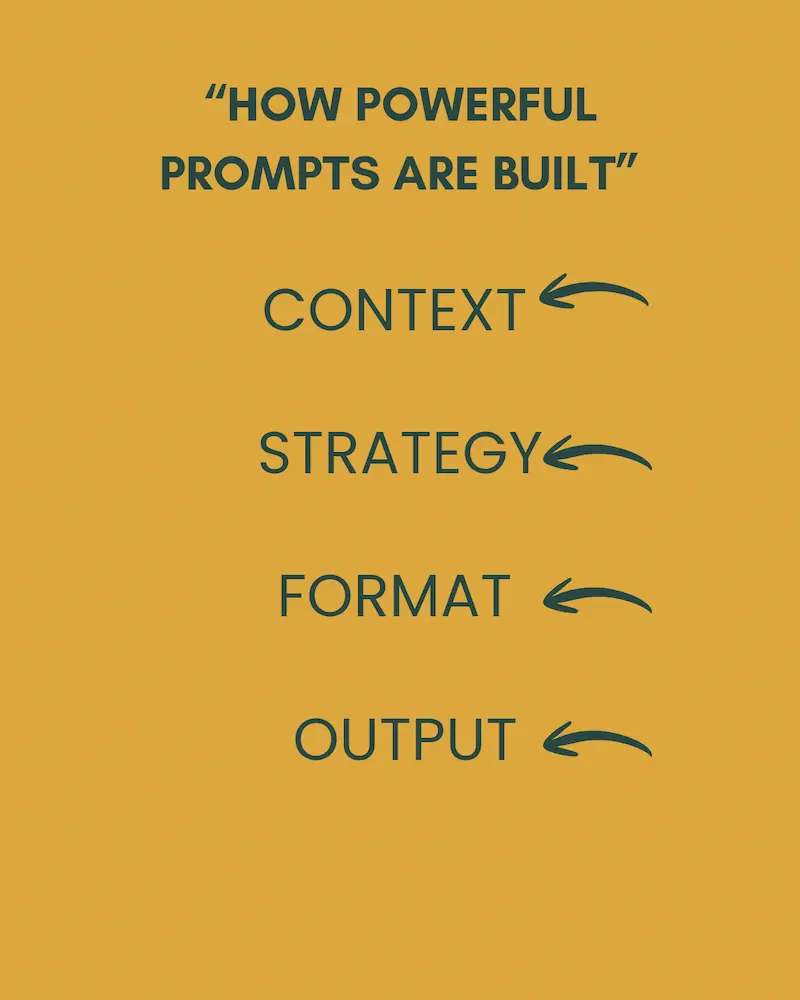
• Context
• Constraints
• Format
• Strategy
• Audience
• Quality standards
Let’s break one down.
🧩 The Mega-Prompt Example
(Creating a 30-Day Social Media Content Calendar)
Here’s the actual structured Mega-Prompt:
Act as a senior social media strategist with 7+ years of experience helping digital product brands grow organically.
I run a website that sells AI prompt packs and digital productivity tools.
My target audience is beginner entrepreneurs aged 16–30 who want to earn online.
Create a 30-day Instagram content calendar designed to:
• Build authority
• Increase engagement
• Promote my digital products subtly
• Grow followers organically
Include:
• Post idea
• Hook line
• Caption summary
• CTA
• Content type (Reel/Carousel/Story)
Maintain a motivational, bold, confident tone.Format the output in a clean table.
Now let’s decode why this works.
🔍 The Breakdown (Why It Produces Elite Output)
1️⃣ “Act as…” → The Role Assignment
This tells the AI who it is.
Without a role, responses are generic.With a role, responses gain depth and strategic thinking.
2️⃣ Background Information → Context Layer
You provided:
• What you sell
• Who your audience is
• Their age
• Their goals
AI now thinks within your business reality.
This prevents random, irrelevant ideas.
3️⃣ Clear Objectives → Strategic Direction
You didn’t say “give content ideas.”
You specified:
• Authority
• Engagement
• Subtle product promotion
• Organic growth
That forces strategy instead of surface creativity.
4️⃣ Structured Output Requirements → Format Control
By demanding:
• Hook
• Caption
• CTA
• Format
You eliminate fluff.
You get usable assets immediately.
5️⃣ Tone Instruction → Emotional Positioning
“Motivational, bold, confident.”
This aligns the AI voice with your brand identity.
📊 The Result?
Instead of 10 random ideas…
You receive a ready-to-post marketing system.
That’s the difference between:
Asking for ideas
vs
Engineering outcomes.
🟡 The Golden Rule: Trust, but Verify
ChatGPT sounds confident — even when it’s wrong.
AI is powerful, but it is not a guaranteed factual database.
Sometimes it may:
• Make up information
• Give outdated facts
• Sound correct but be inaccurate
This is known as AI hallucination.
Smart users keep a human in the loop.
That means:
• Fact-check important information
• Verify statistics
• Use trusted sources for critical data
The best AI users are not blind followers.
They are responsible reviewers.
This habit builds long-term credibility and protects your work.
🔮 Why Prompt Writing Is a Future Skill
AI tools are changing content creation, education, and business.
But one thing remains true:
People who can direct AI will always outperform people who only consume AI.
Prompt writing is not just about ChatGPT.
It improves:
• Clear thinking
• Structured communication
• Faster execution
That skill transfers everywhere.
📝 How to Practice Prompt Writing Daily
Simple routine:
Take one small task you already do.
Rewrite it as a structured prompt.
Improve it two or three times.
Even ten minutes a day compounds fast.
Consistency beats intensity.
📊 Do Prompts Work the Same on ChatGPT, Claude, and Gemini? (Model Comparison Guide)
One important thing beginners don’t realize:
Prompting logic is universal.
But AI engines behave differently.
The structure stays the same —
but results vary based on the model.
Here’s a simplified professional comparison:Feature
| FEATURES | ChatGPT | Claude | Gemini |
| Best For | Logic, structured outputs, coding | Creative writing, long-form text | Research-style answers, Google integration |
| Tone Control | Very strong | Very natural & human-like | Moderate |
| Table Formatting | Excellent | Good | Improving |
| Long Context Handling | Strong | Very strong | Strong |
| Step-by-step Reasoning | Very reliable | Good | Good |
🎯 What This Means for You
If you’re:
• Writing structured marketing plans → ChatGPT performs strongly
• Writing stories, scripts, emotional content → Claude often feels more natural
• Doing research-heavy tasks → Gemini integrates well with web-based data
But here’s the truth:
A bad prompt fails on all platforms.
A strong prompt performs everywhere.
That’s why learning prompt engineering fundamentals matters more than chasing tools.
🚀 Pro Insight
Instead of asking:
“Which AI is best?”
Ask:
“How can I write prompts that control any AI?”
That mindset makes you tool-independent.
And tool-independent creators win long-term.
❓Frequently Asked Questions
1. What is the best way to write ChatGPT prompts as a beginner?
Start with role, task, context, and output format. Clear instructions always outperform short vague commands.
2. Are longer prompts better?
Not always longer — but clearer. Detailed prompts reduce misunderstandings and improve output quality.
3. Can ChatGPT give wrong information?
Yes. AI can sometimes generate incorrect or outdated information. Always verify important facts before publishing or using them professionally.
4. Is prompt engineering a real skill?
Absolutely. Clear communication with AI is becoming a valuable digital skill in content creation, marketing, business, and education.
Step-by-Step Prompt Building System:
1. Define the role (Who is AI?)
2. Define the task (What to do?)
3. Add context (For whom?)
4. Set format (How to output?)
5. Add constraints (Rules)
Follow this system every time.
📌 Bookmark This Guide
This is not a one-time read.
Save this page and use it as your personal prompt writing reference.
👉 Final Thoughts
Writing effective ChatGPT prompts is not about discovering hidden commands.
It’s about thinking clearly and communicating precisely.
The people who win in the AI era will not be the ones who use AI casually.
They will be the ones who know how to guide it.
If you practice even 10 minutes a day, your prompt writing skills will compound faster than you expect.
And once that happens —
AI stops feeling confusing.
It starts feeling like leverage.
Master the communication.
The results will follow.
Now don’t just read this guide.
Start using it.
Test your prompts.
Improve them.
Refine your thinking.
Because once you master prompts —AI stops being confusing.It becomes your biggest advantage.