Struggling with bad ChatGPT results?
This guide shows you exactly why your prompts fail — and how to fix them step-by-step.
📌 Save this guide — fix your prompts anytime you get stuck.
📍 Table of Contents
1. Introduction: Why Does ChatGPT Sometimes Feel “Not Smart”?
2. How ChatGPT Actually Understands Your Prompts
3. The 25 Most Common ChatGPT Prompt Mistakes
4. Real Prompt Surgery (Before & After)
5. The 5-Minute Prompt Repair Checklist
7. The Prompting Mindset Shift: From Beginner to Strategic Thinker
8. Think Like an Architect, Not a Typist
9. Prompting Is a Conversation, Not a Command
10. Clarity Creates Confidence
11. Education First, Tools Second
12. The Real Goal
13. Frequently Asked Questions
14. Final Thoughts: Better Prompts, Better Thinking
❌🤓 Introduction: Why Does ChatGPT Sometimes Feel “Not Smart”?
Have you ever typed something into ChatGPT and felt disappointed?
The answer looked generic.
Too basic.
Not what you expected.
You might have thought:
• “Why is ChatGPT giving bad answers?”
• “Why is it not understanding me?”
• “Is the AI broken?”
Here is the truth.
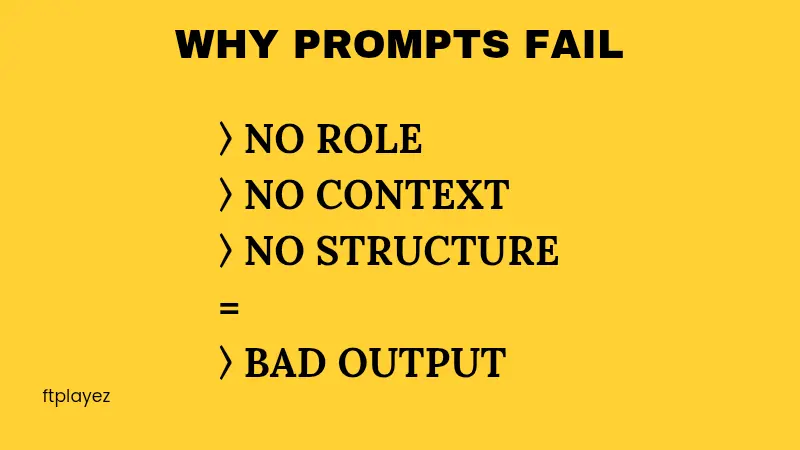
ChatGPT is usually not the problem.
The real issue is how we give instructions.
Think about this:
If you ask a teacher,
“Explain science,”
what will they say?
They don’t know:
• Which topic?
• What level?
• How long?
• What format?
So they will give a very general answer.
ChatGPT works the same way.
If your prompt is unclear, short, or missing details, the AI has to guess.
And when AI guesses, the result becomes average.
This article is your troubleshooting guide.
We will:
• Identify the most common prompt mistakes
• Show real bad vs improved examples
• Give simple fixes you can use immediately
• Teach a small system to improve every prompt
By the end, you will not blame the AI.
You will know exactly how to fix your prompts.
Let’s begin.
🕵️♂️ How ChatGPT Actually Understands Your Prompts
Before we talk about mistakes, you need to understand one simple thing.
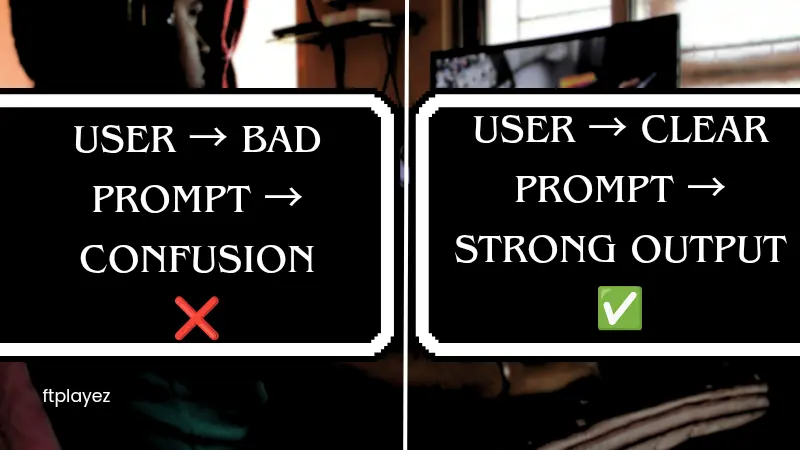
ChatGPT predicts patterns.
It reads your words and tries to guess: “What kind of answer is this person expecting?”
It does not read your mind.
It does not know your background.
It does not know your goal unless you tell it.
If you leave gaps, it fills them with common patterns.
That is why answers sometimes feel:
• Too basic
• Too long
• Too short
• Not specific
• Not in the right tone
The solution is simple:
Give better instructions.
Now let’s look at the most common mistakes.
💡 Pro Tip: ChatGPT doesn’t think — it predicts based on your input. Clear input = better output.
👉 New to prompt writing? Start here →
😣 The 25 Most Common ChatGPT Prompt Mistakes
Each mistake includes:
• What people do
• Why it fails
• A better version
• A quick fix rule
🔴 Mistake 1: Writing Vague Prompts
❌ Bad Prompt:
“Write about marketing.”
Why it fails: Too broad. No direction.
✅ Better Prompt:
“Write a 500-word beginner guide on social media marketing for small business owners. Use simple language and include 3 practical tips.”
Quick Fix Rule:
Always define:
• Topic
• Audience
• Length
• Purpose
🔴 Mistake 2: Giving No Context
❌ Bad Prompt:
“Help me write an email.”
Which email? To who? For what purpose?
✅ Better Prompt:
“Help me write a polite email to a client who missed a payment. Keep the tone professional but friendly.”
Quick Fix Rule:
Context makes answers smarter.
🔴 Mistake 3: Not Assigning a Role
ChatGPT performs better when given a role.
❌ Bad Prompt:
“Explain investing.”
✅ Better Prompt:
“Act as a financial advisor. Explain basic investing to a 16-year-old student using simple examples.”
Quick Fix Rule:
Start with: “Act as a…”
🔴 Mistake 4: Asking Too Many Things at Once
❌ Bad Prompt:
“Write a blog, give SEO keywords, create title, and make social media captions.”
Too much in one go.
✅ Better Approach:
Break into steps:
1. Create outline
2. Write article
3. Generate SEO
4. Create captions
Quick Fix Rule:
Complex tasks = multiple prompts.
🔴 Mistake 5: Not Specifying Format
❌ Bad Prompt:
“Give me business ideas.”
✅ Better Prompt:
“Give me 10 online business ideas in a table format with columns: Idea, Cost Level, Difficulty, Profit Potential.”
Quick Fix Rule:
If format matters, say it clearly.
🔴 Mistake 6: Ignoring Tone
Tone changes everything.
❌ Bad Prompt:
“Write about productivity.”
✅ Better Prompt:
“Write about productivity in an encouraging and motivational tone for college students.”
Quick Fix Rule:
Always mention tone if you care about it.
🔴 Mistake 7: Expecting Perfection in One Try
Many beginners give up after the first answer.
Professionals refine.
Better Strategy:
“Make it shorter.”
“Make it more persuasive.”
“Add real examples.”
Quick Fix Rule:
Prompting is editing.
🔴 Mistake 8: Copy-Paste Without Customizing
Templates are helpful.
But copying without editing context reduces quality.
Always adjust:
• Audience
• Goal
• Specific details
🔴 Mistake 9: Not Defining the Audience
Audience clarity improves results.
Bad: “Explain fitness.”
Better: “Explain beginner weight loss tips for working mothers with limited time.”
🔴 Mistake 10: Trusting Everything Without Checking
AI can make mistakes.
Always:
• Verify facts
• Double-check numbers
• Review tone
Golden rule: Trust, but verify.
🔴 Mistake 11: Giving Instructions Without a Clear Goal
Many people ask ChatGPT to “write something,” but they never explain why.
❌ Bad Prompt:
“Write a blog about sleep.”
What is the goal? Inform? Sell? Rank on Google? Persuade?
✅ Better Prompt:
“Write a 1,000-word SEO-friendly blog about improving sleep quality for working professionals. The goal is to educate and build trust.”
Why This Matters:
AI needs direction. A goal changes structure and tone.
Quick Fix Rule:
Always answer this before writing: “What is the final outcome I want?”
🔴 Mistake 12: Not Defining Depth Level
Sometimes answers feel too basic. Other times too complex.
That happens because you didn’t define depth.
❌ Bad Prompt:
“Explain AI.”
✅ Better Prompt:
“Explain artificial intelligence at a beginner level using simple real-life examples.”
OR
“Explain artificial intelligence at an advanced level for software engineers.”
Quick Fix Rule:
Always define: Beginner / Intermediate / Advanced
🔴 Mistake 13: Ignoring Constraints
Constraints make answers sharper.
Without limits, responses become generic.
❌ Bad Prompt:
“Give me business ideas.”
✅ Better Prompt:
“Give me 5 low-investment online business ideas under $500 startup cost.”
Constraints improve precision.
Quick Fix Rule:
Add limits:
• Budget
• Time
• Word count
• Skill level
🔴 Mistake 14: No Examples Requested
Examples improve clarity.
❌ Bad Prompt:
“Explain leadership.”
✅ Better Prompt:
“Explain leadership and include 3 real-world examples.”
AI performs better when examples are requested.
🔴 Mistake 15: Not Asking for Step-by-Step Structure
Complex answers need structure.
❌ Bad Prompt:
“How do I start freelancing?”
✅ Better Prompt:
“Give me a step-by-step roadmap to start freelancing with zero experience.”
Step-by-step prompts produce actionable content.
🔴 Mistake 16: Asking Emotional Questions Without Context
Example:
“Why am I not successful?”
AI needs more detail.
Better:
“I am a 20-year-old student struggling with focus and consistency. Suggest 5 practical ways to improve discipline.”
Specific life details = stronger output.
🔴 Mistake 17: Not Defining Output Length
Sometimes answers are too long. Sometimes too short.
Fix it easily.
Add:
“In 150 words.”
Or:
“Keep it under 5 bullet points.”
Length control increases usability.
🔴 Mistake 18: Forgetting to Ask for Revisions
Professionals rarely accept first drafts.
Use refinement prompts:
• “Make it more persuasive.”
• “Simplify language.”
• “Add stronger hook.”
• “Remove repetition.”
Prompting is editing.
🔴 Mistake 19: Not Separating Idea Generation from Execution
Bad habit:
“Create a marketing strategy and write all content.”
Better approach:
Step 1: Generate ideas
Step 2: Choose best one
Step 3: Expand
Step 4: Refine
Breaking tasks improves quality.
🔴 Mistake 20: Being Too Short to Save Time
Many users type 5–6 words.
Short prompts don’t save time. They create weak outputs → more edits → more time wasted.
Invest 30 extra seconds in clarity. Save 10 minutes in editing.
🔴 Mistake 21: Overloading With Unorganized Information
Opposite problem:
Some users write 500 messy words.
If context is unclear, AI gets confused.
Better structure:
Context: Goal: Audience: Format:
Organized input → organized output.
🔴 Mistake 22: Ignoring Audience Pain Points
AI writes better when pain points are defined.
Bad: “Write a sales page.”
Better: “Write a sales page for busy parents who struggle to find time for fitness.”
Pain creates relevance.
🔴 Mistake 23: Not Testing Multiple Variations
Professionals test.
Example:
Prompt Version A
Prompt Version B
Prompt Version C
Then compare.
Small wording changes = big output difference.
🔴 Mistake 24: Using AI Like Google
Google = search engine
ChatGPT = reasoning engine
Google: “Best diet tips”
ChatGPT: “Create a 7-day vegetarian diet plan for weight loss with a grocery list.”
Use it as a planner, not a search bar.
🔴 Mistake 25: Not Building a Prompt Habit
Most people treat prompting as random.
Professionals create:
• Personal template library
• Saved frameworks
• Reusable prompt systems
Prompting is not luck. It’s structure.
⚠️ Common Mistake: Most users blame AI when results are bad. In reality, the problem is usually the prompt.
⭐
Common prompt mistakes:
• No clear goal
• No context
• No structure
• Too vague instructions
• Expecting perfect output in one try
🩺 Real Prompt Surgery (Before & After)
Let’s fix one step-by-step.
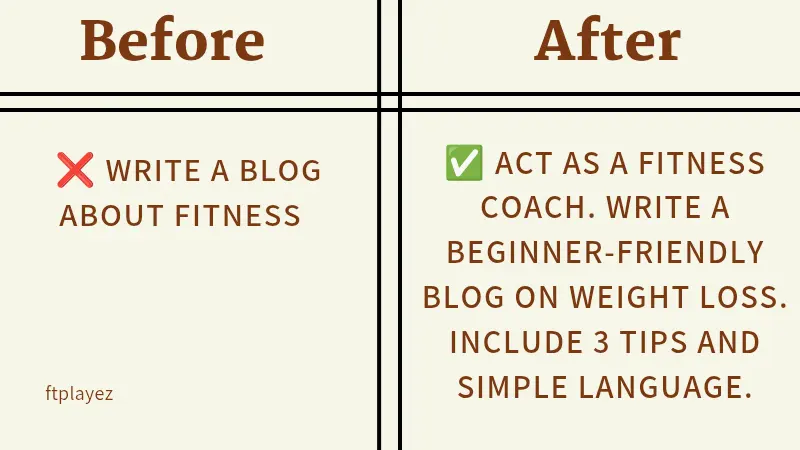
Weak Prompt:
“Write a LinkedIn post about leadership.”
Problem: Too generic.
Step 1 – Add Audience:
“For startup founders…”
Step 2 – Add Goal:
“…to inspire their team…”
Step 3 – Add Format:
“…in 200 words with a strong hook and short paragraphs.”
Final Prompt:
“Write a 200-word LinkedIn post about leadership for startup founders. Start with a strong hook, use short paragraphs, and keep the tone inspiring but practical.”
See the difference?
Structure = better output.
🚀 Quick Win: Even small changes in your prompt can completely change the output quality.
⭐
Step 1: Identify weak prompt
Step 2: Add role
Step 3: Add context
Step 4: Define output
🛠️ The 5-Minute Prompt Repair Checklist
Before sending any prompt, check:
☐ Did I assign a role?
☐ Did I define the audience?
☐ Did I explain the goal?
☐ Did I specify format?
☐ Did I mention tone?
If yes, your result improves instantly.
⭐
Quick checklist:
• Is the goal clear?
• Did you define the role?
• Did you add context?
• Is output format clear?
🧪 The Simple Prompt Formula
Use this formula:
Role + Context + Task + Format + Constraint
Example:
“Act as a marketing expert. Create a 30-day Instagram content plan for a fitness coach. Present it in table format. Keep ideas beginner-friendly.”
This structure rarely fails.
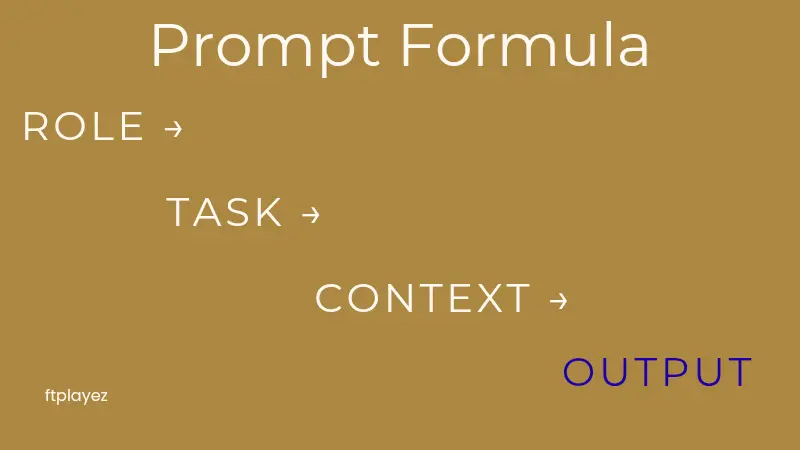
💡 Pro Tip: Always use Role + Task + Context. This simple structure works in almost every situation.
👉 Want to go deeper into advanced systems and templates? Explore→
⭐
👉 Role: Who AI should act as
👉 Task: What AI should do
👉 Context: Extra details
👉 Output: Format you want
👉 Want ready-to-use high-quality prompts?
Check out my complete prompt pack — designed to save hours of work.
🔷 The Prompting Mindset Shift: From Beginner to Strategic Thinker
Most people think writing prompts is about typing better sentences.
It’s not.
It’s about thinking better before you type.
This is the real shift.
Beginners ask questions.
Strategic users design instructions.
That difference changes everything.
When beginners use ChatGPT, they focus only on the task.
“Write this.”
“Explain that.”
“Give me ideas.”
But professionals think deeper.
They ask:
• What is my real objective?
• Who is this for?
• What format will make this usable?
• What constraints improve clarity?
• What would make this output exceptional instead of average?
This shift is powerful.
Because ChatGPT does not operate on magic.
It operates on structure.
The more structured your thinking,
the more structured the response.
👉 Want structured frameworks used by professionals? Read this →
⭐
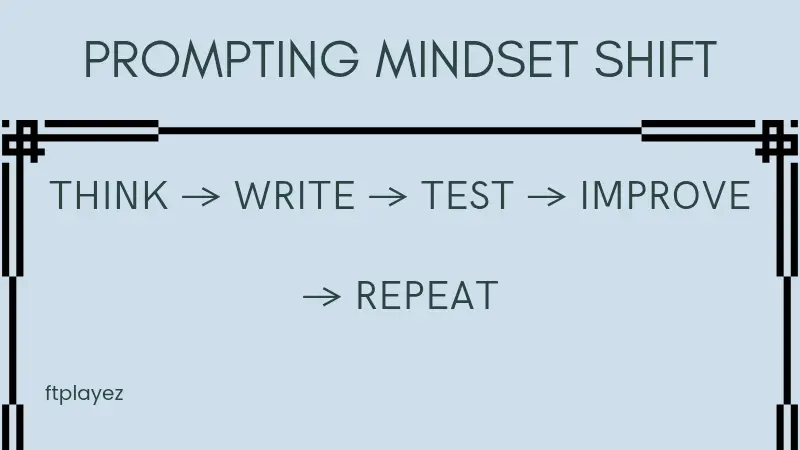
Prompting is not typing.
It is thinking.
It is structuring your ideas clearly.
🧠 Think Like an Architect, Not a Typist
Imagine building a house.
You would not say: “Build me a house.”
You would specify:
• Number of rooms
• Budget
• Style
• Materials
• Timeline
Prompting works the same way.
When you provide detailed architecture,
the output becomes stable and predictable.
When you provide vague instructions,
you get a generic structure.
🔄 Prompting Is a Conversation, Not a Command
Another important mindset shift:
ChatGPT is not a vending machine.
You don’t insert one prompt and expect perfection.
You collaborate.
You refine.
You improve.
Professional users often go through 3–5 iterations before finalizing an answer.
They ask:
• “Can you simplify this?”
• “Make it more persuasive.”
• “Add real-world examples.”
• “Remove fluff.”
• “Turn this into bullet points.”
This is not weakness.
This is smart usage.
Iteration is intelligence.
🎯 Clarity Creates Confidence
When your prompts are clear, something interesting happens:
You feel more in control.
Instead of guessing whether the output will be good,
you know it will be closer to your expectation.
That confidence builds trust.
Not just trust in AI.
Trust in your own ability to use tools effectively.
And that is powerful.
👉 Want to use prompts for SEO, blogs, and real content?Check this →
⭐
**Clear prompts remove confusion and improve results instantly.**
📚 Education First, Tools Second
Technology changes fast.
AI models improve.
Interfaces update.
Features evolve.
But one thing stays constant:
Clear thinking wins.
If you master how to structure ideas,
define goals,
and communicate clearly,
you will perform well with any AI system — not just ChatGPT.
This is why learning prompt structure is not about shortcuts.
It is about developing a thinking skill.
And thinking skills compound over time.
🚀 The Real Goal
The goal is not to get “better answers.”
The goal is to become someone who knows how to extract value from intelligent systems.
That is a modern skill.
That is future-proof.
And that is why learning proper prompting is worth your time.
❓ Frequently Asked Questions
❓ Why do my ChatGPT prompts fail?
Most prompts fail because they lack clarity, context, and structure.ChatGPT depends on your input — unclear prompts lead to weak results.
❓ What is the best way to fix a bad prompt?
Start by defining the role, adding clear instructions, and giving proper context.Even small improvements can make a big difference.
❓ What is the ideal structure of a prompt?
A simple structure is:Role → Task → Context → OutputThis helps ChatGPT understand exactly what you want.
❓ Why do two people get different results from the same AI?
Because their prompts are different.The quality of output depends directly on the quality of the prompt.
❓ How do professionals get better results from ChatGPT?
They don’t rely on one prompt.They test, refine, and improve prompts step-by-step.
🚀 Quick Win: If your result is not good, rewrite the prompt — not the whole task.
📌 Save This Page for Later
This is not just a blog — it’s your personal prompt fixing guide.
Come back whenever:
• Your prompts stop working
• You get confusing AI results
• You want to improve output quality
👉 Bookmark this page and use it anytime you get stuck.
🤔 Final Thoughts: Better Prompts, Better Thinking
If there is one thing to remember from this guide, it is this:
ChatGPT is not inconsistent.
It is responsive.
It responds to clarity.
It responds to structure.
It responds to thoughtful instructions.
When prompts are weak, answers feel weak.
When prompts are clear, answers improve.
That is not luck.
That is logic.
The good news?
Every mistake you saw in this article is fixable.
You don’t need advanced technical knowledge.
You don’t need coding skills.
You don’t need expensive tools.
You only need to think a little more before you type.
Ask yourself:
What is my goal?
Who is this for?
What format do I need?
What level of depth do I want?
These small questions create big improvements.
And here is something important:
Making mistakes with prompts does not mean you are bad at using AI.
It means you are learning a new skill.
Just like writing, speaking, or problem-solving, prompting improves with practice.
The difference between beginners and professionals is not intelligence.
It is awareness.
Professionals understand that AI performs best when guided clearly.
Beginners expect AI to guess.
Now you know better.
From today, you are not just typing random questions.
You are designing instructions.
You are structuring outcomes.
You are thinking strategically.
And that changes how you use every AI tool — not just ChatGPT.
Remember:
Technology will keep evolving.
But clear thinking will always stay valuable.
Master that, and you will never struggle with “bad AI output” again.
You won’t just get better answers.
You’ll become better at asking the right questions.
And that is a skill worth building.